
Travel is supposed to be about going out, exploring new places, trying food you probably can’t pronounce, and doing things you wouldn’t do in your routine life.
That said, there’s usually a point in every trip when you’re back in the hotel room, shoes off, phone charging, and you just want to switch your brain off for a while.
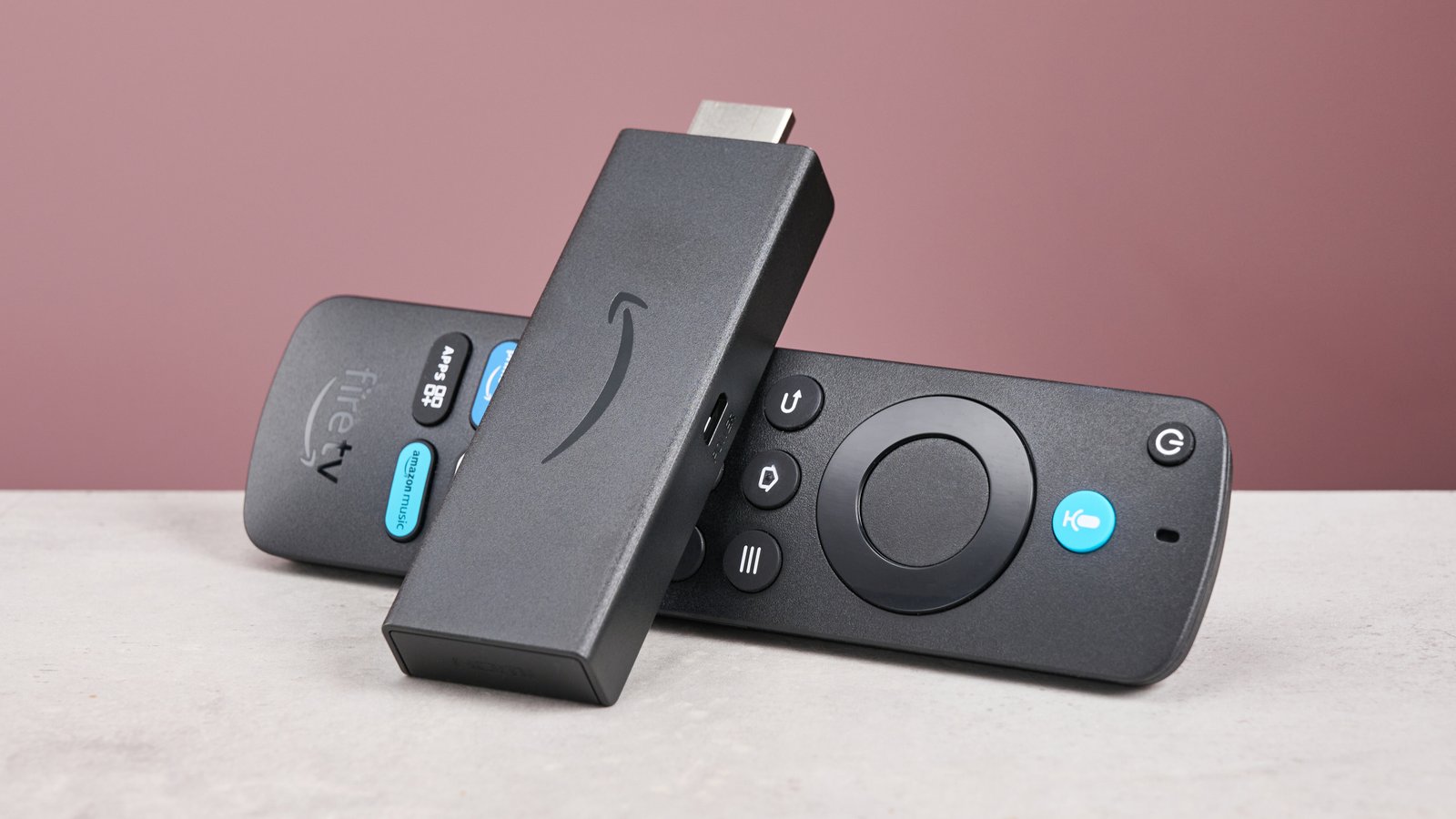
That’s where FireStick proves to be an invaluable addition to my travel bag. I don’t realize its true worth while hiking a trail or sitting on a beach. But when a sudden rainstorm wipes out my afternoon plans, or I’m simply too wiped out to leave the bed, this tiny gadget saves the day for me.
After taking my FireStick along on several vacations, I’ve put together 6 ways it can make your next trip a whole lot better.
- Vacation Photo Casting
After a day of sightseeing, you can sit back in your hotel room or vacation rental and cast your favorite photos and videos to the TV via FireStick’s built-in features like screen mirroring or Amazon Photos.
- Relive the Best Moments
Instead of everyone crowding around one tiny phone screen, you can put the photos up on the TV and go through them together. That random photo you took at lunch, the sunset nobody expected to be that good, or the group shot that took ten attempts suddenly gets a much bigger audience.
- A Simple Evening Activity
I also like this as a low-effort way to spend an evening when everyone is tired. You don’t need to plan anything or head back outside. Put the day’s photos on the big screen, grab some snacks, and enjoy a vacation slideshow in your room.
- Start the Morning Without Touching Your Phone
Not every useful travel feature has to be about entertainment.
After waking up, you can use your FireStick to check the weather, catch up on news, or put on something in the background while getting ready.
That means you don’t necessarily have to start your morning by immediately scrolling through your phone.
Wake up → turn on the TV → check what’s happening → get ready → head out.
It’s a small change, but on a busy vacation, those little conveniences add up.
- One Gadget, Multiple Stops
One thing I appreciate about taking a FireStick on a trip is that it doesn’t really care where you’re staying.
Hotel today? Take it with you.
Airbnb tomorrow? Plug it in there.
Vacation rental later in the week? Same setup.
That makes it particularly useful on trips where you’re moving around instead of staying in one place for the entire vacation. You don’t have to get used to a different TV experience every time you check into a new accommodation.
And because the FireStick itself is so small, it barely takes up any space in my luggage. I can throw it into a small pouch with the remote and power cable and forget about it until I need it.
- Pick-Up-and-Go Streaming Access
The biggest pain point of hotel TVs is spending twenty minutes typing out long passwords with a clunky remote. Carrying your own Fire TV Stick takes this hassle out of the equation.
Since your profile, apps, and credentials are already saved on the stick, you get instant access to your fully logged-in accounts the second it powers on.
Moreover, the stories of people leaving their accounts logged in on hotel smart TVs are pretty commonplace. That way, guests could access their personal account details. It happens way more often than you’d think because most hotel TVs don’t wipe guest data at checkout.
By carrying a Fire TV Stick, you take this security risk out of the equation. While checking out, simply pull the stick out of the HDMI port and take your entire digital footprint with you.
- Offline Media Playback
Poor Wi-Fi in a remote mountain cabin is an absolute mood killer. After spending hours on a flight or driving to a remote destination, the last thing you want is to troubleshoot a weak internet connection. Well, offline media playback on a FireStick can be an extremely solid backup plan to deal with this.
By plugging an OTG (On-The-Go) cable adapter into the stick’s power port, you can attach a standard USB flash drive with pre-downloaded movies, TV series, anime, cartoons, etc., and play high-definition video from the flash drive without requiring a single byte of Wi-Fi.
This hack is particularly useful if you are traveling with kids who throw tantrums as soon as they get bored. When you’re off the grid or stuck in a dead zone, the kids get their routine bedtime cartoons on the big TV.
Here’s your checklist for offline playback on FireStick:
- Micro-USB OTG cable
- FAT32-formatted USB flash drive
- Pre-install an offline player
- Download supported video formats (.MP4 or .MKV)
- Home Control on the Road
One of the biggest worries when you’re away from home is what’s happening behind you. Did you leave the lights on? Did you lock the door before rushing to the airport? When these questions start buzzing in your mind, you won’t be able to make the most of your vacations.
Enter FireStick. If you have smart home devices connected to Alexa, you can use your Fire TV to check on and control certain things back home.
That little doubt, “Did I switch off the TV before leaving?” that creeps in halfway through a vacation can be settled without calling someone back home.
However, just be mindful of the fact that this depends on having compatible Alexa smart home devices and an active internet connection.
Summing Up
Ideally, a good travel gadget should not disrupt your journey. Instead, it should sync into your routine and solve small annoyances along the way. FireStick does that and more.
Be it unreliable Wi-Fi, bored kids, or a nagging thought about what’s happening back home, this tiny gadget can take care of everything.
After taking my FireStick on several trips, I’ve realized that it’s one of those gadgets I don’t think much about while packing. But once I get there, I’m always glad I brought it along.
So before you head out on your next trip, don’t forget to carry your FireStick. It might just become the little travel companion you didn’t know you needed.
